


Road to Hana & Maui Tour Guide
4.83.18K Reviews
App Specs
- Version
- 9.2.3
- Updated On
- License
- Free
- Downloads
- 100,000+
- Developer
- Shaka Guide
- Categories
- Travel & Local
- Platform
- Android
Screenshots

 Analysis by AppCompare
When I plan a drive on Maui, I want more than a route line and a list of places to stop. I want enough context to notice what I might otherwise pass, without turning every mile into a phone-checking exercise. Road to Hana Maui Audio Tours aims to fill that role with GPS-triggered narration, and that idea suits a long, scenic drive particularly well. It is a travel app from Shaka Guide, and its main appeal is making the journey itself feel guided rather than treating Hana as just a destination.
What a narrated drive changes
The practical difference between an audio tour and an ordinary map is that the map answers “where?” while narration can help answer “what am I looking at?” On a winding route, that extra context is welcome: passengers can listen, look out the window, and decide together whether a stop sounds worthwhile. I see this as most useful for visitors who have not researched Maui in depth and would rather learn along the way than juggle several travel tabs.
It also changes the rhythm of the trip. A conventional navigation app is focused on getting you to the next turn; a tour guide can make the stretches between stops feel like part of the experience. That is a meaningful distinction on the Road to Hana, where the scenery and the drive are central, not merely obstacles between attractions.
Exploring the Road to Hana
The Road to Hana is a legendary drive through lush landscapes, waterfalls, and beaches, but without a guide, you might breeze past some truly breathtaking spots. That’s where the Road to Hana Maui Audio Tours really shines. It’s designed to ensure you don’t just see Maui, but truly experience it.
Network-dependent moments
GPS-based narration and mobile data are not the same thing. GPS can help establish where you are, while an app may still rely on a connection for some tasks. I would therefore avoid assuming that every map, story, or planning detail will be available in every coverage condition. Before setting out, I’d open the tour while I have a reliable connection, check what is accessible, and make sure the phone is ready for the drive rather than discovering a loading delay on the roadside.
That small bit of preparation matters more on a route where stopping simply to troubleshoot can interrupt the day. I would also have the driver handle setup before departure and leave the passenger to manage any needed checks. The tour is meant to draw attention to the landscape, not invite someone behind the wheel to interact with a screen.
Setting Up the App
First things first, getting the app set up is a breeze. You just download it from your App Store, and after a quick install, you’re ready to hit the road. The interface is super intuitive. I love how the app automatically detects your location using GPS, so you don’t have to worry about constantly fiddling with your phone while driving. Safety first, folks!
Worth Reading Before You Choose

Flipboard Shows What News Apps Must Do Beyond the Feed

Switching to Android Auto Means Rethinking Your Driving Routine

Google Calendar Makes a Crowded Week Easier to Manage

Ludo King Makes the Most of the Minutes Between Plans

Baby Panda World Brings Quick Play to Modern Phones, but Its Game Library Feels Busy

ESPN’s Live Game View Makes Following Close Games Easier
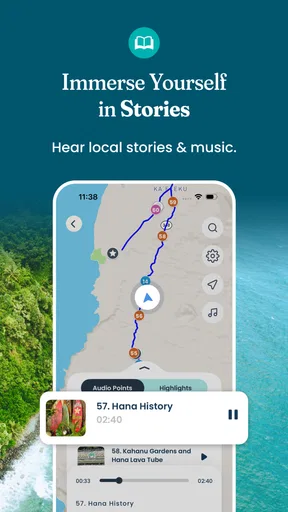
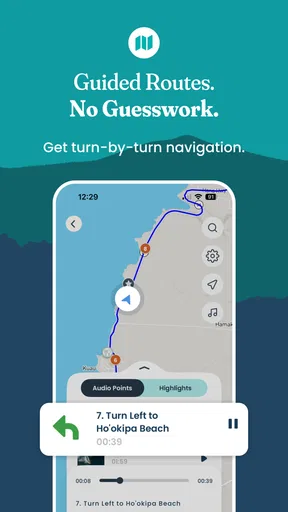
Once you’re set up, you’ll find a map of the entire route with all the stops clearly marked. The app even suggests how much time to spend at each stop, which is a lifesaver if you’re trying to fit everything into one day.
Planning around the people in your car
The app makes the most sense when the group agrees on a rough pace before the first stop. A family with children may need frequent breaks, while a couple hoping for long walks may choose fewer stops and spend longer at each. I would treat suggested visit times as planning aids, not a timetable that must be obeyed. Road conditions, energy levels, and how much a place captures your interest are better reasons to adjust the day than an estimate on a screen.
Here is a realistic use case: you leave in the morning with a passenger watching the route and narration, and the driver concentrating on the road. When a stop sounds appealing, the passenger can help decide whether it fits the day, then the group can take a proper break rather than trying to make a quick roadside decision. That division of roles keeps the app useful without making it the trip’s boss.
The Audio Experience
Now, onto the heart of the app: the audio tours. The voice guide is both informative and entertaining, mixing fascinating historical tidbits with local legends. One moment you’re learning about the ancient Hawaiian culture, and the next, you’re hearing a funny anecdote about a local farmer or a quirky event. It’s like having a friendly local sitting next to you, sharing stories over a cup of Kona coffee.
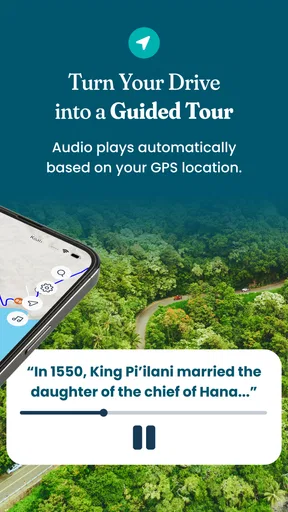
What’s really cool is that the app syncs the audio with your GPS location, so the stories and facts are perfectly timed with what you’re seeing outside your window. It’s a seamless experience that makes every mile of the journey engaging.
Mobile contexts and passenger-friendly use
Audio is a better fit for this drive than a guide that expects you to read paragraphs while moving. I would set the sound level before pulling away, keep the phone mounted or placed where the driver does not need to reach for it, and let a passenger handle any map checks. If you are traveling alone, stop somewhere safe before changing settings or studying the screen. The point of location-aware narration is to reduce the need to monitor the phone, not to make phone interaction harmless while driving.
There is a trade-off with any spoken guide: the timing may not match the exact moment you want to take in a view, and passengers may be talking, taking photos, or simply enjoying quiet. I would not feel obliged to catch every story. Treating the audio as a companion rather than a lesson makes it easier to pause mentally, skip attention when the road demands it, and enjoy the scenery without guilt.
Hidden Gems and Must-Sees
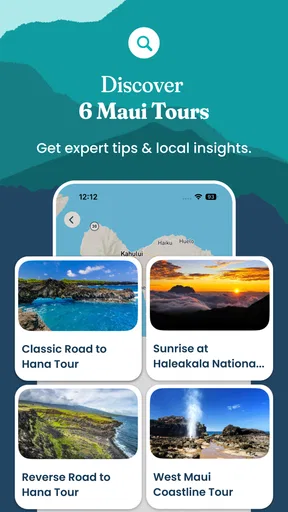
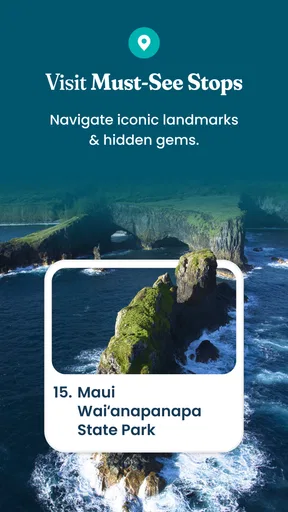
One of the standout features of this app is how it highlights the lesser-known spots. Sure, you’ll visit popular stops like the Black Sand Beach and the Seven Sacred Pools, but it also points you toward hidden waterfalls and secret hiking trails. You know, the kind of places where you can take a moment to breathe in the beauty without a crowd around you.
During my trip, I found myself pulling over at places I would have otherwise driven past, and those ended up being some of my favorite moments. The app’s recommendations feel personally curated, and it’s clear there’s a lot of love and local knowledge behind them.
When another travel tool is better
Compared with a standard navigation app, this tour is more about context and discovery than simply finding the fastest way from one point to another. A map remains the better choice when you need straightforward turn-by-turn navigation, want to compare routes, or have a specific destination and schedule. A printed itinerary can also be easier for a group that likes to mark plans together without handing around a phone. I would use those tools alongside a narrated tour rather than expect one app to cover every travel need.
It may not suit someone who prefers an entirely unplanned drive, dislikes listening to narration, or wants to spend the day without relying on a phone. Nor is it a substitute for careful decisions about where it is safe and appropriate to stop. Recommendations can inspire a detour, but the driver still needs to judge road conditions, parking, and whether a stop works for the group.
Failure, recovery, and sensible preparation
If something does not load or the narration does not behave as expected, I would first pull over safely before checking anything. Confirming that the app is open and the phone has power is a more sensible first step than repeatedly tapping the screen while moving. If the problem persists, switch to a familiar navigation option and continue safely; a tour should enrich a drive, not become a reason to take risks or lose track of the route.
A useful habit is to start the tour before the road becomes busy and give the audio a moment to begin while parked. I would also keep a charging plan in mind, since GPS use and audio playback can keep a phone working throughout a long outing. These are ordinary travel precautions, but they matter here because the app is intended to accompany a substantial drive rather than a quick walk around town.
Data-conscious use
For a trip where connectivity may vary, I would check the tour’s available content in advance instead of relying on last-minute downloads or loading. The earlier article describes offline access and maps, but I would still verify that the material I intend to use is ready on my own device before leaving. A quick check while connected is a better plan than treating any app’s offline behavior as automatic.
Travelers watching mobile data can also keep their use deliberate: avoid browsing unrelated content on the drive, and let the audio do its job rather than repeatedly reopening screens. If you are sharing the trip with someone, agree beforehand who will manage the phone and when. That reduces both unnecessary screen time and the chance of a passenger’s attention being split between the road, the tour, and other apps.
Who will get the most from it
I would recommend this to first-time Maui visitors, people who enjoy learning the stories behind a landscape, and groups that want help choosing what deserves a stop. It is especially useful when one passenger can act as navigator and the rest can listen together. More experienced visitors may still enjoy the narration, but they might prefer to build their own route if they already know which places matter most to them.
The app is free to download, with in-app purchases ranging from under a dollar to around eighty dollars per item. It is rated for Everyone, and its current version is 9.1.7; it requires Android 6.0 or later. Those details make it easy to assess basic compatibility and the possibility of optional spending before a trip. I would check the purchase screen carefully so I know what is included before committing to anything.
Offline Access
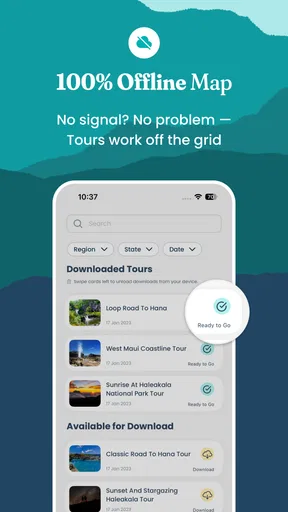
Worried about losing signal out in the wilds of Maui? Fear not! The app has an offline mode, so you can download all the content in advance and access it without a hitch. This feature was a lifesaver during spots where cell service was sketchy.
Plus, with offline maps, you won’t find yourself hopelessly navigating through winding roads. It’s a reassuring safety net that ensures you can focus on the stunning views rather than your phone signal.
How it fits the wider app category
Travel apps often split into two camps: practical tools that route you efficiently and guides that add background to a place. This one leans toward the second, while using location to connect commentary to the drive. That focus is its strength, but it also means I would not replace a general map or a backup plan with it. For an all-day scenic outing, a dedicated guide can make research feel less scattered; for a simple transfer or a tightly timed appointment, ordinary navigation is the more direct option.
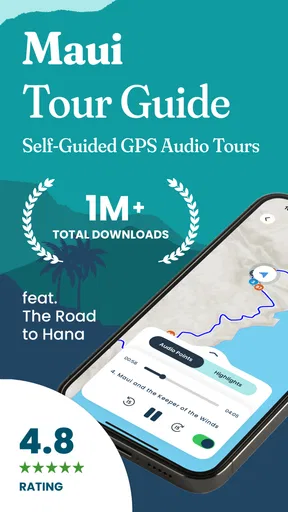
Shaka Guide’s app has an average rating of 4.8 from around five and a half thousand ratings, and it has been installed over a hundred thousand times. Those figures suggest that many travelers find the format worthwhile, though they cannot tell you whether the pacing or narration will suit your own group. I would judge it by the kind of day you want: guided discovery rather than bare-bones directions.
Final Thoughts
All in all, the Road to Hana Maui Audio Tours offers an incredible, immersive way to explore one of the most beautiful drives in the world. It’s perfect for solo travelers, couples, or families who want to get the most out of their Maui adventure without the stress of planning every detail.
So, if you’re heading to Maui and want to explore the Road to Hana like a local, download this app. It’s like having a trusty guide in your pocket, ensuring you don’t miss a thing. Get ready to make some unforgettable memories!
My connectivity verdict
For me, the most convincing reason to use this app is not that it removes every uncertainty from a Maui drive; it is that audio and location can make the road more informative without requiring constant reading. Connectivity still deserves a little forethought, and the app should sit alongside safe driving habits and a backup navigation plan. Shaka Guide released it in 2016 and continues to maintain it, but I would still prepare the phone before setting off rather than assume every part of a mobile experience will behave perfectly on the road.
If you enjoy stories, appreciate help deciding where to pause, and have a passenger who can manage the phone, I think it is a worthwhile companion for the Road to Hana. If you want silence, complete spontaneity, or only the quickest route, a conventional map may suit you better. My advice is to set it up while stationary, decide how much guidance your group wants, and then let the drive—not the screen—take priority.
Pros
- User-friendly interface for easy navigation.
- Detailed historical and cultural insights provided.
- Offline mode available for remote areas.
- Customizable tour stops for flexibility.
- High-quality audio enhances the experience.
Cons
- Limited to specific geographic location.
- Requires significant storage space.
- No visual content
- audio only.
- Not compatible with older devices.
- No real-time updates or warnings.
FAQs for Road to Hana & Maui Tour Guide
What is the Road to Hana Maui Audio Tour app?
The Road to Hana Maui Audio Tour app is a GPS-guided audio tour that provides users with an immersive experience as they travel along the scenic Road to Hana in Maui. It offers detailed commentary on various points of interest, history, and cultural significance, ensuring travelers don’t miss any hidden gems along the route.
How does the app enhance the Road to Hana experience?
The app enhances the Road to Hana experience by offering real-time, location-based narratives that highlight key attractions, local stories, and historical insights. This allows travelers to learn about the area as they drive, turning a simple road trip into an educational and entertaining journey.
Is an internet connection required to use the app?
No, an internet connection is not required while using the app on the road. You can download all necessary content before starting your journey, ensuring uninterrupted access to audio guides even in areas with limited or no cellular coverage, which is common along the Road to Hana.
Can I customize my tour experience with this app?
Yes, the Road to Hana Maui Audio Tour app allows users to customize their experience by choosing which points of interest to explore. With its GPS integration, the app suggests stops as you approach them, but you can decide which ones to visit based on your interests and schedule.
What should I do if I encounter technical issues with the app?
If you encounter technical issues with the app, it is recommended to first check for any available updates in your app store. If the problem persists, you can contact customer support through the app’s help section or their official website for assistance. They typically respond promptly to ensure a smooth experience for all users.


